
Scan documents and let Kivi AI post the data automatically.
Photograph or upload invoices, receipts and expense documents; Kivi AI identifies the document type, extracts the fields and moves the data into Kivi in the right format.
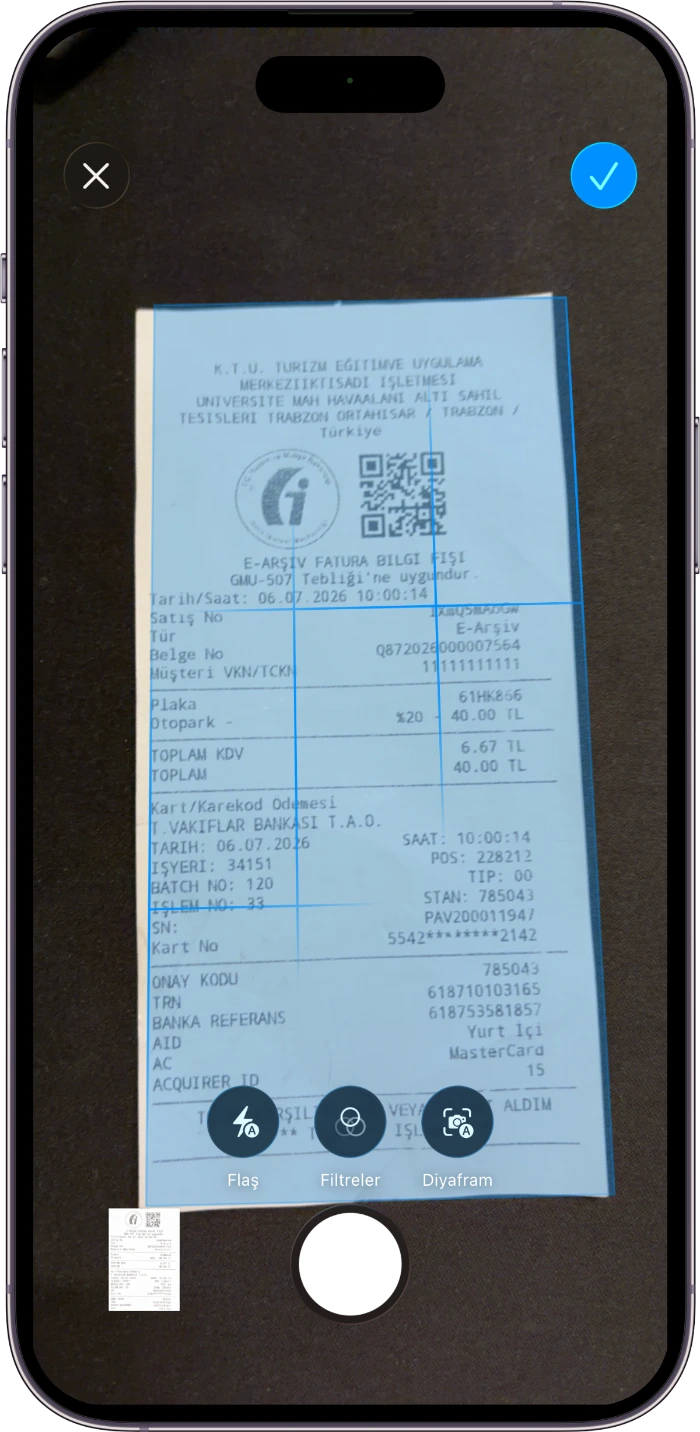
Shoot it in the field, have it posted instantly
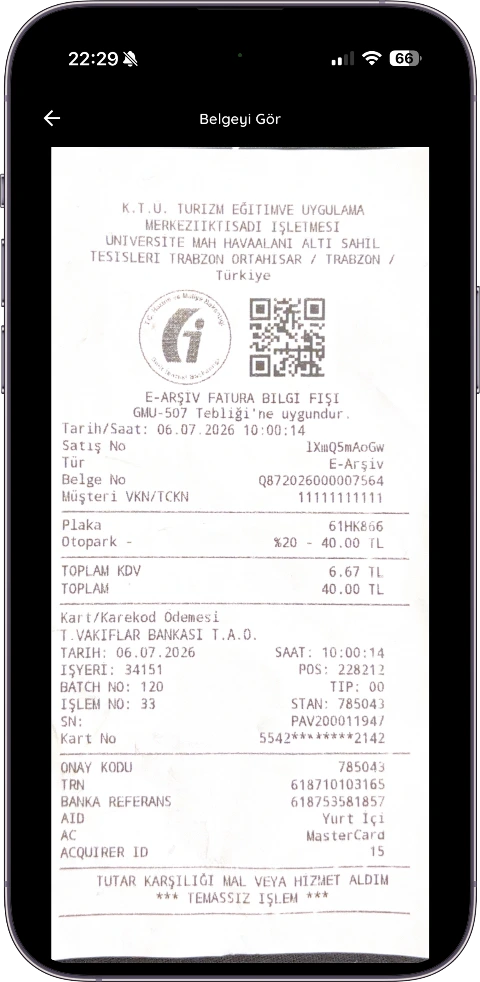
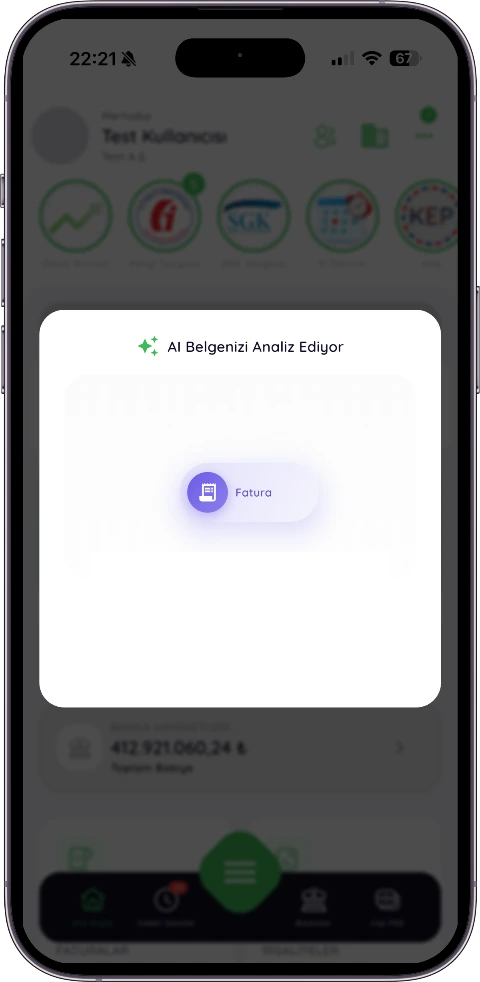
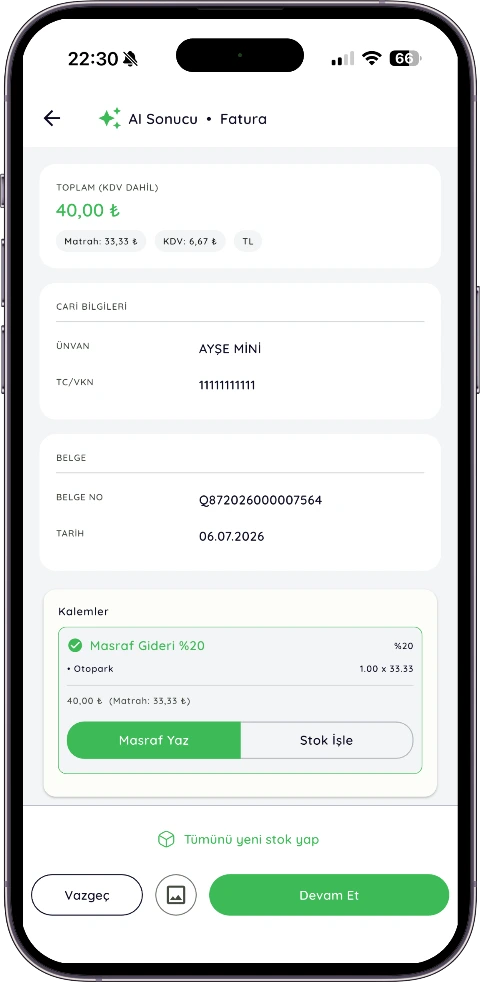
The real flow in the app — from scan to record in four screens: the AI analyses, identifies the type and content, and the data moves into the system.
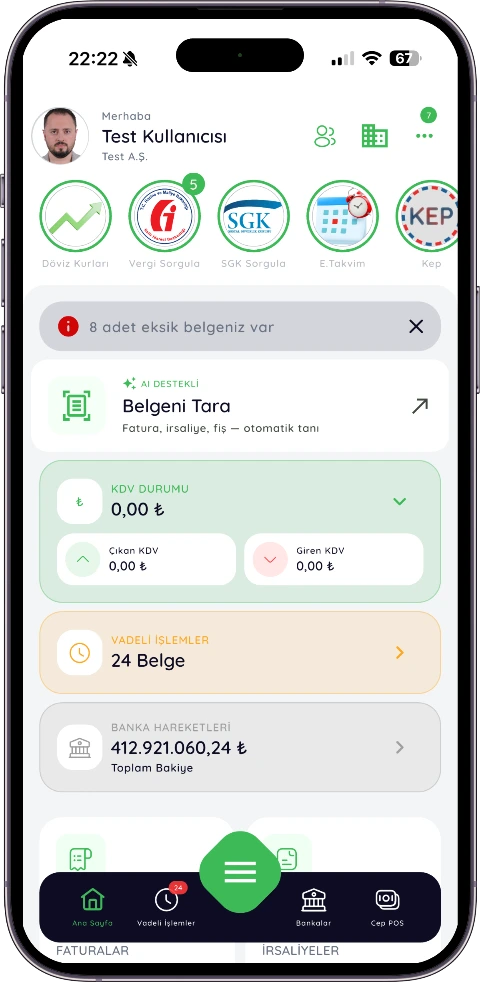
Capabilities
-
The document type is identified automaticallyThe AI tells receipts, invoices and expenses apart.
-
Automatic transfer into fields ✦Amount, date, VAT and document number go into the right field.
-
Creating customers from the ID or tax numberUnknown customers are created and matched automatically.
-
Invoice–receipt–collection matchingRelated records are linked and duplicates prevented.
Accuracy & control
Every document gets a confidence score . Low-scoring documents ask for human approval, and every action is logged and auditable.
Document archive: the image of every scanned document is stored attached to the record it created. When an audit or your accountant asks, the original receipt is one click away.
From receipt to Excel in one click
The document number, date, customer and amount the AI read are written into a tidy table. Download it as Excel whenever you like or share it with your accountant — no more preparing lists by hand.
Scan the documents and let Kivi AI handle the rest
 Published by Kivi Information Systems and Technologies Inc.
·
Written by Kivi Product & Compliance Team
·
Last updated
Published by Kivi Information Systems and Technologies Inc.
·
Written by Kivi Product & Compliance Team
·
Last updated